
Stay compliant and informed with our professional guidelines and standards.
Video Learning
 ▶
▶
Understanding Stats in Matrix
Statistics play an important role in understanding your market. Learn more about the Stats available to you in Matrix.
 ▶
▶
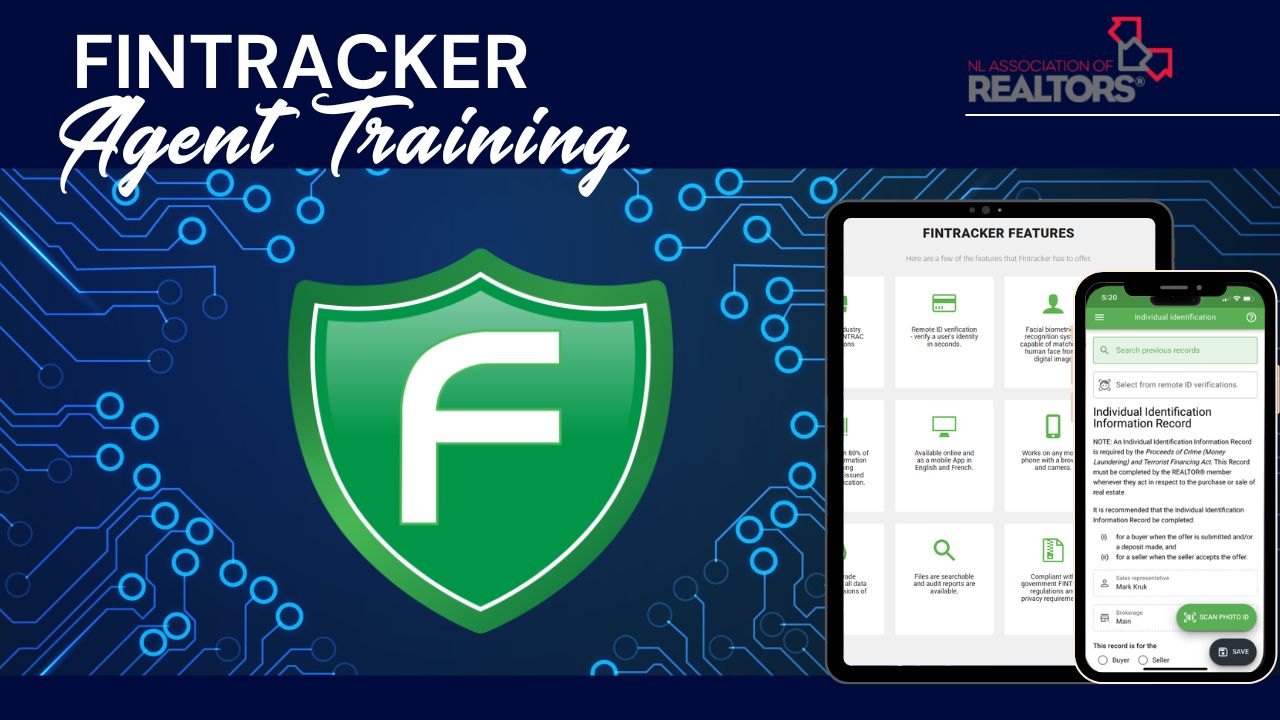
Fintracker Training
Learn how to send remote ID requests, complete face-to-face verifications and fill out a Receipt of Funds with the Fintracker App.
 ▶
▶
Schedules "A", "B" and "C"
Learn more about the paperwork required when an offer is subject to the sale of the Purchaser's property.
 ▶
▶
Withdrawal vs. Cancellation
There are 2 ways to remove a listing from the MLS system. Find out the differences in theses forms and how to fill them out correctly
 ▶
▶
Register an Offer
Check out this short video with 5 easy steps on how to register an offer through BrokerBay
 ▶
▶
BrokerBay Training
Here's an introduction to BrokerBay. Learn more about the dashboard, and configuring showing instructions.
 ▶
▶
Broken Lockboxes
Wondering what to do when a lockbox is stuck at a property? No need to worry—just follow these 3 simple steps.
 ▶
▶
Uploading a New Listing
Let’s review some tips and tricks for uploading a new listing. Whether you’re a seasoned Agent, or brand new Realtor, here’s what you need to know!
 ▶
▶
Sold Notice Form
Questions about the Sold Notice Form? From it's purpose to submission deadlines, here’s what you need to know.
 ▶
▶
Seller's Direction RE: Offers
Looking for clarity on the Seller's Direction form? Here's what you need to know about how it works, how to complete it and how to stay compliant.
Video
❓ Most Common Questions
⭐ Monthly Rule Spotlight
Delayed showings: Showings cannot be scheduled or conducted before the published showing start date/time.

Explore the Listing Data Checker System
Listing Data Checker (LDC) Notifications
Agent Reported Violation
Refers to violations submitted through the REALTOR® Compliance Submission Portal.
Action: To be assessed by our Professional Standards department.
Fine: Base Fee: $0
At Least One Image Required
A Listing shall not be accepted by the Association if the listing is not accompanied by at least one image. In the event that a photo submitted is a “sample photo” it shall be labeled as such and failure to do so will be considered as a failure to submit an image.
Source: Association and MLS® Policies, Rules & Regulations & Schedule of Fees 11.i.x
Action: Member will be given 24 hours to upload a primary photo. Failure to do so will result in a $250.00 fine.
Fine: $250 if not corrected within 24 hours
Delayed Showings
The Association will not accept new listings which indicate “NO SHOWINGS UNTIL” or listings with similar wording. No MLS® System listings shall be advertised in any way which indicates or implies anything other than the listing is available to be shown. If a situation arises whereby a property already on MLS® cannot be viewed by all MLS® members, the Association office must be notified in writing detailing the reasons that the listing is not available and the date on which the listing will be available. The listing shall be placed on hold until the date of availability.
Source: Association and MLS® Policies, Rules & Regulations & Schedule of Fees 11.d
Action: Remove restrictive wording and make the listing available at time of listing, or request the Association to place the listing on hold until available. Failure to comply will result in a $250 fine.
Fine: $250
Failure to Timely Report Listing Agreement
Using the processes required by the Association and not later than 4:30 p.m. (Newfoundland Time) on the Business Day following the Commencement Date of the MLS® Listing, the Listing Brokerage shall deliver the MLS® Listing Contract to the Association whether the listing is Association loaded or Broker loaded.
Source: Association and MLS® Policies, Rules & Regulations & Schedule of Fees 11.c
Action: Submit listing documents to the MLS Department as soon as possible if not already done. Paperwork submitted 2–5 business days following the Commencement Date will be subject to a Late-Submission Paperwork Penalty. Any listing not submitted within five (5) business days of the listing date will be considered a Non-Submission and subject to an automatic Category 2 fine.
- Late-Submission Paperwork Penalty: Advisory Letter / $100 fine or Training Course / $500
- Non-Submission Category 2 Fine: $500 / $750 / $1000
Fine:
Field Accuracy & Compliance
The Listing Brokerage is responsible and accountable for the accuracy of information submitted to the Association for inclusion in the MLS® System database. The Association is responsible for ensuring that the data submitted to it meets reasonable standards of quality.
- Field Misplacement: Enter details in the correct fields.
- Required Statements: Include necessary statements in Remarks/Realtor Remarks.
- Numeric Formatting: Follow field rules (e.g., round values where decimals are not permitted).
Source: Association and MLS® Policies, Rules & Regulations & Schedule of Fees 11.g.ii
Action: MLS may require adequate information before releasing a listing. Inaccurate or false information typically falls under Category 1 fines.
Fine: Category 1: $250 / $500 / $1000 (more severe penalties may apply for deliberate misrepresentation)
Incomplete or Incorrect Multi-Listing Agreement
A Listing shall not be accepted by the Association as an MLS® Listing if all mandatory data input fields have not been completed and/or the complete civic address, municipality, and postal code is incomplete on the Multiple Listing Agreement and the Property Data Sheet.
Source: Association and MLS® Policies, Rules & Regulations & Schedule of Fees 11.i.iii & 11.i.vii
Action: MLS may require all fields to be properly completed prior to releasing the listing; you will be contacted to correct invalid paperwork.
Fine: Base Fee: $0 (fines may apply if accuracy requirements are not met; see Category 1)
Incorrect Map Coordinates
The Listing Brokerage is responsible and accountable for the accuracy of information submitted to the Association, including correct map coordinates/pin placement.
Source: Association and MLS® Policies, Rules & Regulations & Schedule of Fees 11.g.ii
Action: You will have the opportunity to correct the coordinates within a set timeframe. Failure to correct may result in a fine.
Fine: Category 1: $250 / $500 / $1000
Late Extension & Changes Submission (After Expiration Date)
Extension and Changes forms must be signed on or before the day of expiry of a listing and the signed extension must be received at the Association office by close of the next business day. Extensions received two (2) to five (5) business days after the expiration date will be considered a Late-Submission.
Source: Association and MLS® Policies, Rules & Regulations & Schedule of Fees 12.5.b
Action: MLS will process your Extension and issue a paperwork penalty.
Fine: Late-Submission Paperwork Penalty = Advisory Letter / $100 fine or Training Course / $500
Late Extension & Changes Submission (After Expiration Date +5)
Extension and Changes forms must be signed on or before the day of expiry of a listing and the signed extension must be received at the Association office by close of the next business day. Extensions received more than five (5) business days after the expiration date will not be processed and a new listing will be required.
Source: Association and MLS® Policies, Rules & Regulations & Schedule of Fees 12.5.b
Action: MLS will notify you that the Extension will not be processed and you will need to re-list the property with a new Multiple Listing Agreement.
Fine: No fine issued.
Listing Expiration Courtesy Notice
This is a friendly reminder, not a formal violation notice.
Your listing is set to expire in 2 days. If you wish to extend it, a signed extension form must be completed on or before the expiration date and submitted to the Association office by the end of the next business day.
If no extension is planned, no action is required.
If status is Under Contract, we recommend submitting an Extension if you want the listing to remain active.
If status is Conditional Pending and you expect to close, no action is needed. When the sale is complete, submit the Final Sold Notice and status will be updated to Sold. If the sale is cancelled and no Extension was submitted, status will change to Expired upon receipt of a Cancelled Sold Notice.
Fine: Base Fee: $0
MLS Deactivation Notice – 5 Days Post Expiry
This listing has been expired for more than 5 days.
Example: Friendly reminder: this MLS® number is no longer valid. If you intend to relist, a new duplicate listing must be submitted through the MLS® System. If you’re not planning to relist, no further action is required. This is not a formal violation notice.
Fine: Base Fee: $0
Multimedia Links in Inappropriate Fields
MLS® Listings must comply with the CREA Technology Policy. Virtual tour information and multi-media URLs must be located in the designated area of the listing and not reproduced in any other field.
Source: Association and MLS® Policies, Rules & Regulations & Schedule of Fees 12 and 12.3.f
Action: Remove links from inappropriate fields; only use designated multimedia fields.
Fine: Category 1: $250 / $500 / $1000
New Listing Greater Than a Day
This is a friendly reminder, not a formal violation notice.
Documents for the above listing don’t appear to have been submitted to NLAR for release. Please forward all necessary documents to NLAR as soon as possible, and make sure at least one photo is uploaded to avoid delays. (If already sent, thank you for your patience while we process a high volume of emails.)
Fine: Base Fee: $0
Non-Submission of a Listing
Using the processes required by the Association and not later than 4:30 p.m. (Newfoundland Time) on the Business Day following the Commencement Date of the MLS® Listing, the Listing Brokerage shall deliver the MLS® Listing Contract to the Association whether the listing is Association loaded or Broker loaded. Any listing not submitted to the Association office within five (5) business days of the listing date will be considered non-submission.
Source: Association and MLS® Policies, Rules & Regulations & Schedule of Fees 11.c
Action: Upon receiving your documents, MLS will release your listing and issue the applicable fine.
Fine: Category 2 (automatic): $500 / $750 / $1000
Self Promotion in Public Remarks
No personal or brokerage promotion materials or content will be permitted on any part of the listing or change to the listing to which the public has access.
Source: Association and MLS® Policies, Rules & Regulations & Schedule of Fees 19. Policy – Personal Promotion in Broker Loaded or Edited Listings
Action: Remove any self-promotional content immediately.
Fine: 1st: $1000; 2nd: $1500 and three months’ loss of the right to load/edit; 3rd: $2000 and complete loss of the right to load/edit
Seller’s Direction Re: Offers
If the Seller instructs the listing agent to delay presentation of offers the term: “No presentation of Offers as per Sellers instruction until ___ am/pm the ____ day of ________, 20__” must be completed and appear in the Public Remarks (Property Overview) section of the MLS® listing and be published to all members. This must be accompanied by an IRREVOCABLE instruction from the Seller on the NLAR “Seller’s Direction Re: Offers” form, uploaded to the Documents section to accompany the listing.
Source: Association and MLS® Policies, Rules & Regulations & Schedule of Fees 11.e
Action: MLS may require correct verbiage and documentation before releasing the listing.
Fine: Category 1: $250 / $500 / $1000
Sold Notice Fine
Conditional Sold Notices must be received within two (2) business days of the date all conditions have been met.
Final Sold Notices must be received within two (2) business days after the sale becomes final.
Cancelled Sold Notices must be received by the end of the next business day after the cancellation.
Source: Association and MLS® Policies, Rules & Regulations & Schedule of Fees 17
Action: Submit paperwork to NLAR by the associated deadline to avoid a Paperwork Penalty.
Fine: Late-Submission Paperwork Penalty = Advisory Letter / $100 fine or Training Course / $500
Listing Data Checker (LDC) Examples
Agent Reported Violation
Scenario: A report came through the Compliance Portal about a listing which displayed a Tenant’s personal phone number in the Public Remarks.
- What went wrong: Private information was displayed publicly.
- Action taken: Phone number was removed by NLAR.
- Outcome: Fine was issued.
- Takeaway: Contact information or showing instructions can be listed in the Realtor Remarks or Showing Instructions fields. Never post private information in the Property Overview which is Public Remarks.
At Least One Image Required
Scenario: A new listing was uploaded to Matrix without a Primary Photo.
- What went wrong: A photo of the property is missing.
- Action taken: Listing was released by NLAR, Agent has 24 hours after uploading to add a photo.
- Outcome: A Primary Photo was added to the listing within 24 hours, requirement is satisfied. No fine issued.
- Takeaway: All listings are required to have at least one photo at the time of listing.
Delayed Showings
Scenario: An Agent has listed a property and indicated in the Realtor Remarks “Showings to commence on Thursday at 3pm”.
- What went wrong: Language that indicates “No showings until…” or “Showings to commence..” is not permitted.
- Action taken: MLS Department notified Agent of non-compliance. Agent removed inappropriate text.
- Outcome: Listing is now compliant. Category 1 fine was avoided.
- Takeaway: When a listing is activated on the MLS system, it must be available immediately for viewings (with the exception of 24 hours notice for Tenants). Brokerbay may be used to manage a showing schedule.
Failure to Timely Report Listing Agreement
Scenario: Paperwork was submitted to NLAR two days after the listing commencement date.
- What went wrong: Agent missed the paperwork submission deadline.
- Action taken: Listing was released by the MLS Department.
- Outcome: Automatic Late-Submission penalty was issued. Tiered paperwork penalty was implemented.
- Takeaway: Listing Agreements must be submitted to NLAR by the end of the next business day, following the commencement date.
Field Accuracy & Compliance
Scenario: A new listing has been added to Matrix. The property is a 2-storey, 2500 square foot home, but only a family room has been added to the “Rooms” tab.
- What went wrong: Inadequate listing information. More rooms and measurements need to be added to the listing.
- Action taken: The MLS Department contacts the Listing Agent and requests more rooms are added.
- Outcome: Listing is not released. Potential Category 1 fine.
- Takeaway: An adequate number of rooms with accurate measurements are required for a listing to be in compliance.
Incomplete or Incorrect Multi-Listing Agreement
Scenario: Vendor’s initials are missing from page 1 of the agreement.
- What went wrong: Agreement must be completely filled out, initialed and signed.
- Action taken: The MLS Department requests revised documentation.
- Outcome: Listing was not released until corrected paperwork was received at NLAR.
- Takeaway: Verify all information, initials and signatures are in place prior to submitting listing documents.
Incorrect Map Coordinates
Scenario: Mapping pin was dropped on an incorrect property, two streets away from the subject property. Buyers couldn’t find the correct listing.
- What went wrong: Misplaced map pin led to incorrect vital listing information.
- Action taken: Following up on a compliance report, NLAR investigated and confirmed the incorrect information.
- Outcome: An immediate Category 1 fine was issued.
- Takeaway: The Listing Agent must verify all listing data is accurate, including the placement of the mapping pin.
Late Extension & Changes Submission (+5 Days After Expiry)
Scenario: Extension & Changes form was signed on the expiry date, but not submitted to NLAR until 8 business days after the expiration date.
- What went wrong: Agent missed the End of the Next Business Day deadline by more than 5 business days.
- Action taken: MLS Department notified Agent of late submission.
- Outcome: Extension was NOT processed. Agent will need to re-list the property. No fine issued.
- Takeaway: Extension & Changes Forms need to be signed on or before the expiry date and submitted by the end of the next business day after expiry.
Late Extension & Changes Submission
Scenario: Extension & Changs form was signed on the expiry date, but not submitted to NLAR until 2 business days after the expiration date.
- What went wrong: Agent missed the End of the Next Business Day deadline by 1 business day.
- Action taken: Extension was still processed.
- Outcome: An immediate Late-Submission penalty was applied. Agent received a fine through the tiered paperwork fine structure.
- Takeaway: Extension & Changes Forms need to be signed on or before the expiry date and submitted by the end of the next business day after expiry.
Listing Expiration Notice
Scenario: Agent receives an automatic Courtesy Notice of an upcoming expiry date for their listing.
- What went wrong: Nothing went wrong, please remember a Courtesy Notice is just a friendly reminder.
- Action taken: Agent can either extend their listing or let it expire.
- Outcome: Without an Extension & Change form, the listing will automatically expire at midnight following the expiry date.
- Takeaway: A Courtesy Notice is sent out by the Listing Data Checker automatically. The potential implication in this scenario would be if an Extension & Change form is received at NLAR after the deadline.
MLS Deactivation Notice – 5 Days Post Expiry
Scenario: An Agent receives a Deactivation Notice for a listing which expired 5 days ago and was not extended.
- What went wrong: Nothing went wrong, this is a reminder that to activate the listing now will require a new listing agreement.
- Action taken: Agent can either leave the listing expired, or re-list the property.
- Outcome: It is no longer possible to extend this listing.
- Takeaway: This type of notice is a friendly reminder that your listing is no longer Active and cannot be activated through an Extension & Change form. A new listing would be required at this point.
Multimedia Links in Inappropriate Fields
Scenario: A URL directing buyers to an unbranded Matterport tour was posted in the Property Overview/Public Remarks.
- What went wrong: A URL was added to an inappropriate field. It cannot be in the Public Remarks section.
- Action taken: The MLS Department contacts the Agent to move the link to the correct field.
- Outcome: The link is removed from the Public Remarks and added to the Virtual Tour field, the listing is now compliant and can be released.
- Takeaway: Links are only permitted in the Showing Information tab, in the Virtual Tour field.
New Listing Greater Than a Day
Scenario: A listing has been uploaded to Matrix but paperwork has not yet been processed by the MLS Department.
- What went wrong: This is a reminder to send in listing documents before the deadline.
- Action taken: Agent submits their paperwork to NLAR before the end of the next business day.
- Outcome: Paperwork is received on time and listing is released. No fine is issued.
- Takeaway: The Listing Data Checker reviews Listing Commencement Dates and will send out a Courtesy Notice for all listings in Matrix that have a Commencement Date greater than one day, which have not been released by the MLS Department.
Non-Submission of a Listing
Scenario: Over 5 business days have passed since the Commencement Date of a listing and the MLS Department has not received listing documents.
- What went wrong: The paperwork deadline was missed, and the Late-Submission deadline was also missed. The listing is now a Non-Submission.
- Action taken: Agent is notified and submits their paperwork.
- Outcome: Listing is now released, but an immediate Category 2 fine is issued.
- Takeaway: Listing documents are due to NLAR at the end of the next business day. After the deadline, but within 5 business days after the commencement date, is a late-submission paperwork penalty. After 5 business days is a non-submission fine.
Self Promotion in Public Remarks
Scenario: Property Overview says “CALL ME FOR A VIEWING!”.
- What went wrong: Violation of the NLAR Rules and Regulations regarding Self-Promotion.
- Action taken: MLS Department notifies Agent of inappropriate text. Agent removes self-promotion language.
- Outcome: The listing is now compliant and can be released. Agent has avoided a $1000 fine.
- Takeaway: There is no self-promotion allowed in Public Remarks. Having information in the Public Remarks which may lead the Listing Agent to have a competitive advantage could result in a $1000 fine.
Seller’s Direction Re: Offers
Scenario: Public Remarks noted “As per Seller’s Direction, there will be no conveyance of offers prior to ____”, however there was no documentation in the Supplements section.
- What went wrong: The Seller’s Direction requirements are incomplete.
- Action taken: The MLS Department contacts the Listing Agent and requests the appropriate documents be added to the listing.
- Outcome: The Seller’s Direction form is added to Matrix as a Supplement within 24 hours of the commencement date. The listing is now compliant and released. Agent has avoided a $250 fine.
- Takeaway: When using a Seller’s Direction, the form must be added to Matrix as a Supplement and the instructions must be added to the Property Overview. Failure to have either or both of these items in the correct locations may result in a $250 fine.
Sold Notice Fine
Scenario: A sale is completed on a Friday. The final Sold Notice Form isn’t received by NLAR until the following Thursday.
- What went wrong: Paperwork was not received by the deadline.
- Action taken: The MLS Department processes the late Sold Notice Form.
- Outcome: An immediate Sold Notice Form penalty is applied. Agent receives a fine through the tiered paperwork fine structure.
- Takeaway: The final Sold Notice Form must be received by NLAR within 2 business days of the completed deal.
Ethics Case Studies

What Lies Beneath
The line between promoting your Seller’s interest vs. misleading a Buyer. Check out the case study at the link below for what happens when an Agent intentionally misrepresents a listing and fails to disclose a known latent defect.
Open Case Study ↗
Unprofessional Text Messages
Respecting boundaries is part of being a REALTOR®. Check out the case study at the link below to find out what happens when professional boundaries are crossed.
Open Case Study ↗
Respect in Representation
Misleading advertising not only damages trust, but can lead to a fine. Check out the case study at the link below for a real-life example of an ethics violation.
Open Case Study ↗